
Skip to content

Timetable Plus E-Campus — Seamless modern timetabling system

Enjoy our latest version of class timetabling connecting students, lecturers, and administrators in one seamless platform. Faster, easier and more fun.

  • Seamless with Timetable Plus Class & Exam
  • Mobile friendly
  • API ready

What is Timetable Plus E-Campus?

A modern platform that transforms how timetable data entry is being done—ability to auto-create, duplicate and copy data from various sources with various constraint settings. Administrative role will have the necessary controls on users in their role assignment and tagging of courses, lecturers and rooms to respective departments and semesters.

  • For admins

    Centralized control over all timetable operations & users

  • For timetable coordinators

    Enhanced tools for data entry & editing with precise reporting

  • For Lecturers/Students

    Track their own timetable and classes effortlessly

See what our clients can do at Timetable Plus E-Campus

Our well-thought-out data entry and editing tools have transformed how our users enter and edit their data, with detailed analysis reporting.
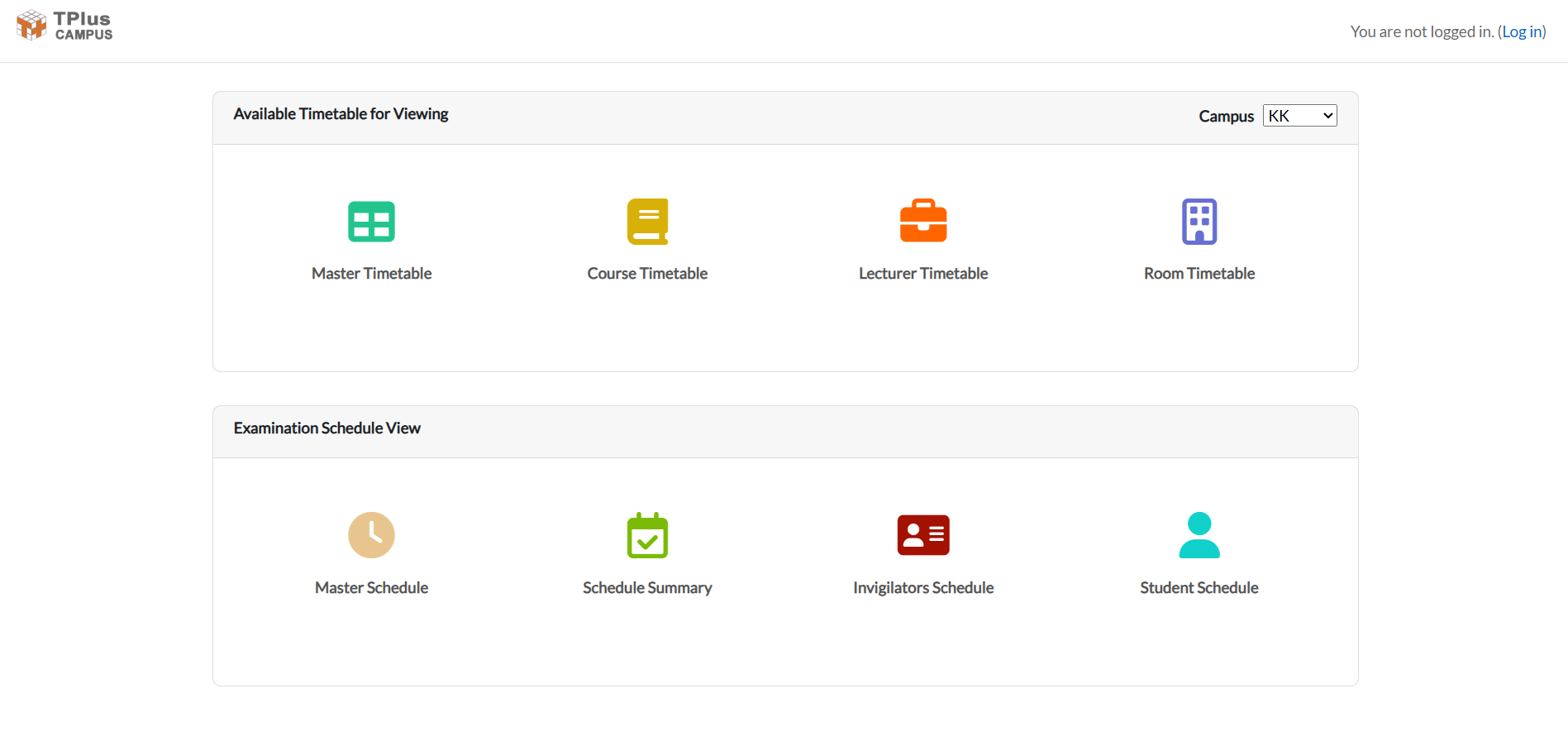
The timetables anyone can view without logging in: master, course, lecturer and room timetables, and four exam schedules

Real-Time timetable management

View and manage your timetable in real-time with an intuitive interface. Track all classes, rooms, and resources at a glance with our comprehensive dashboard.
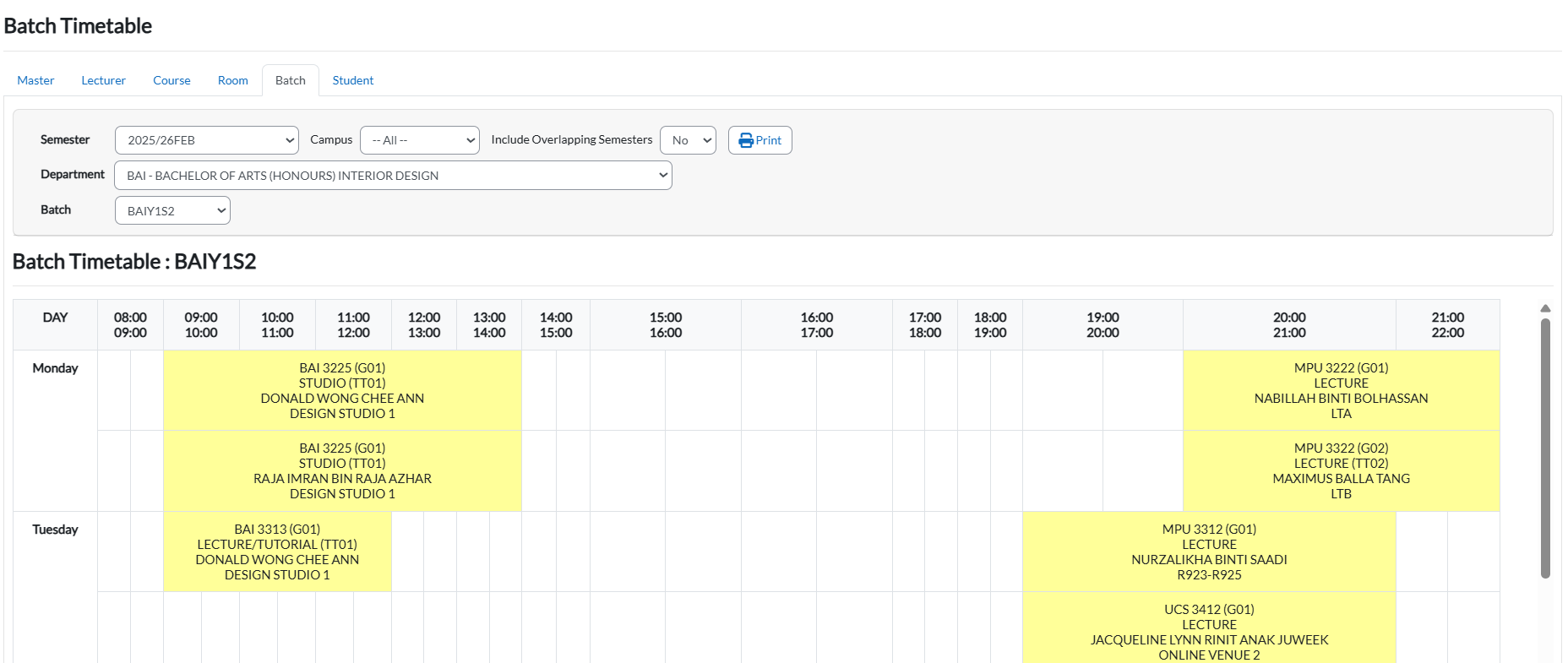
A batch timetable: semester, department and batch filters over the batch's classes, laid out by day and hour

Student portal access

Students can easily access their personalized timetables, check class timings, and stay updated with any changes. Everything they need in one centralized location.
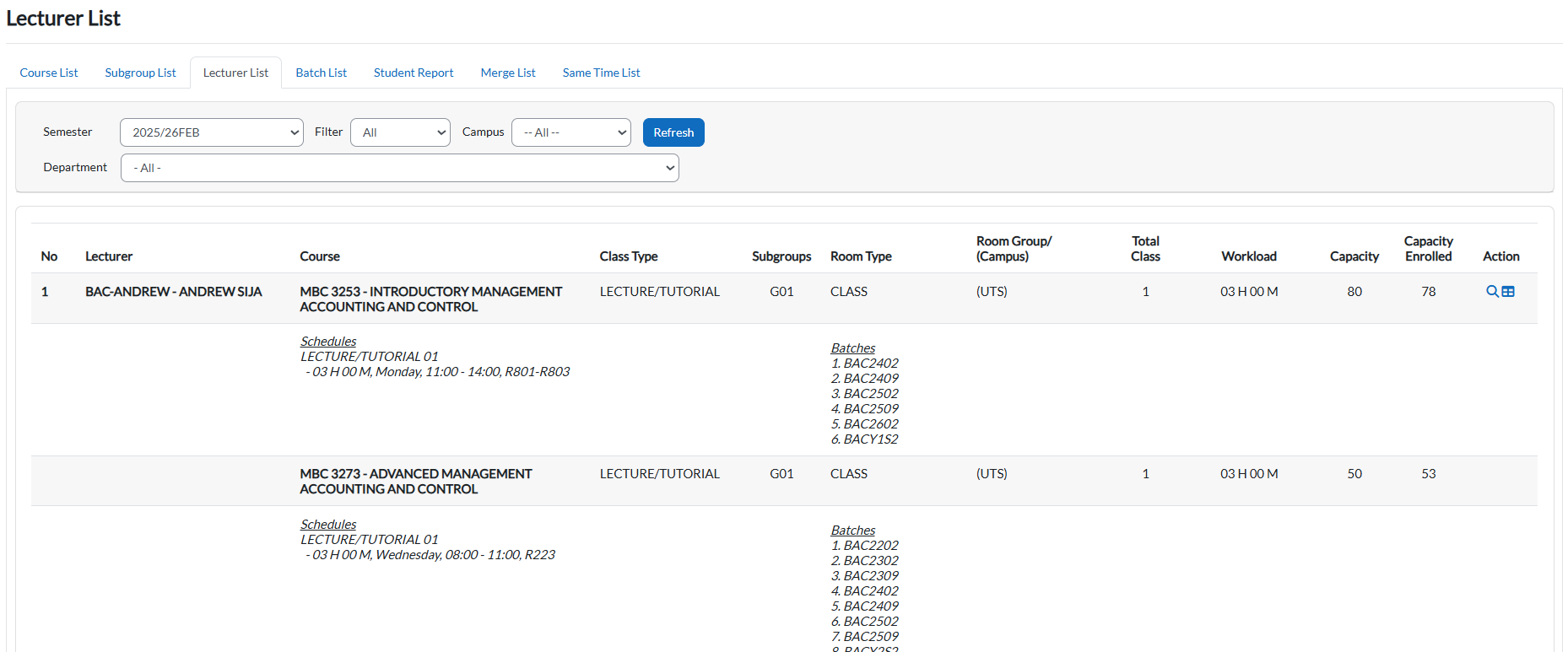
The lecturer list: a lecturer's courses with class type, subgroup and room type, weekly schedule and batches

Lecturer dashboard

Lecturers can view their teaching timetables, manage class assignments, and access detailed information about their courses and student groups all in one place.
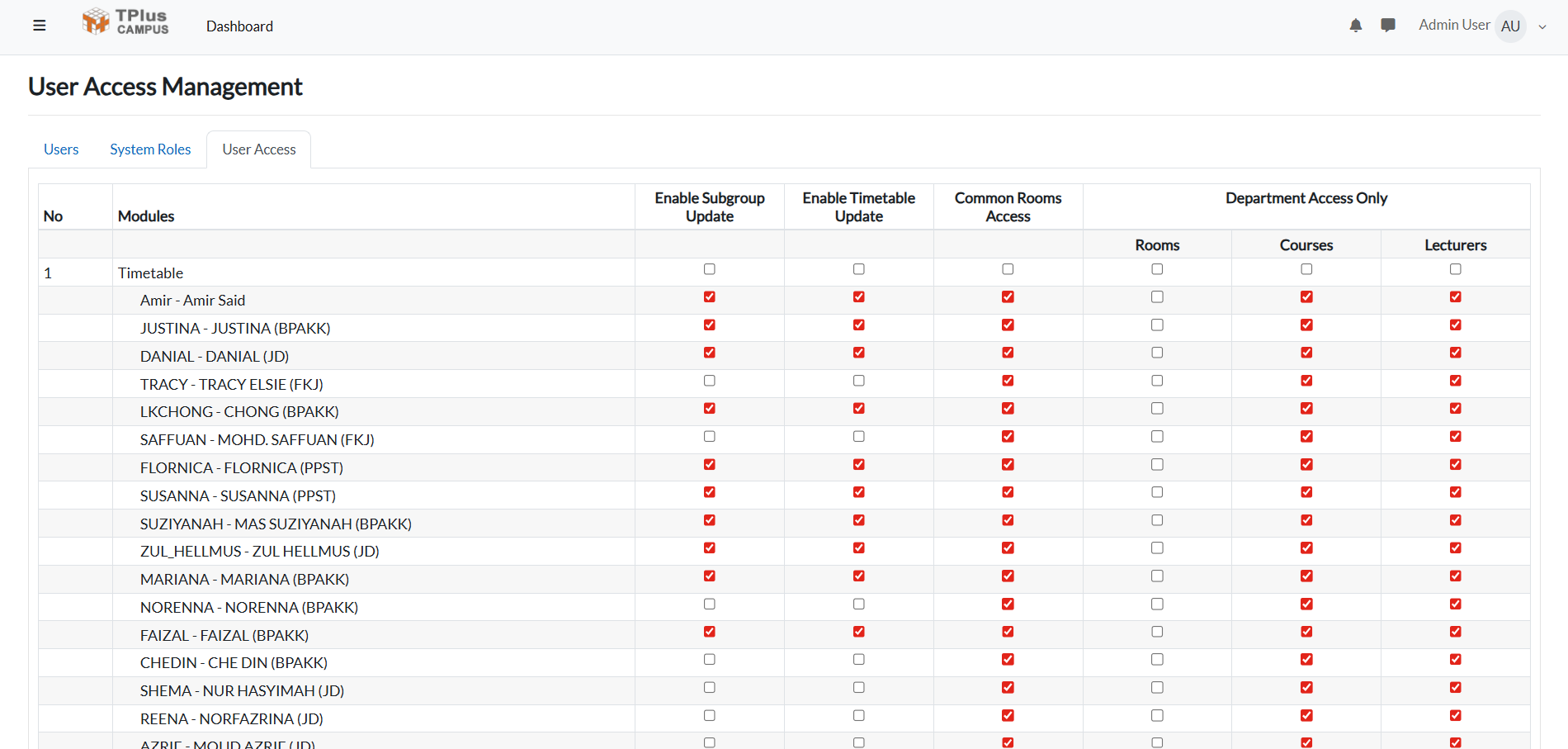
User access management: which users may update subgroups and timetables, and use common rooms

Admin control panel

Comprehensive administrative tools for managing users, permissions, academic settings, and system configurations. Full control over your institution's timetabling system.
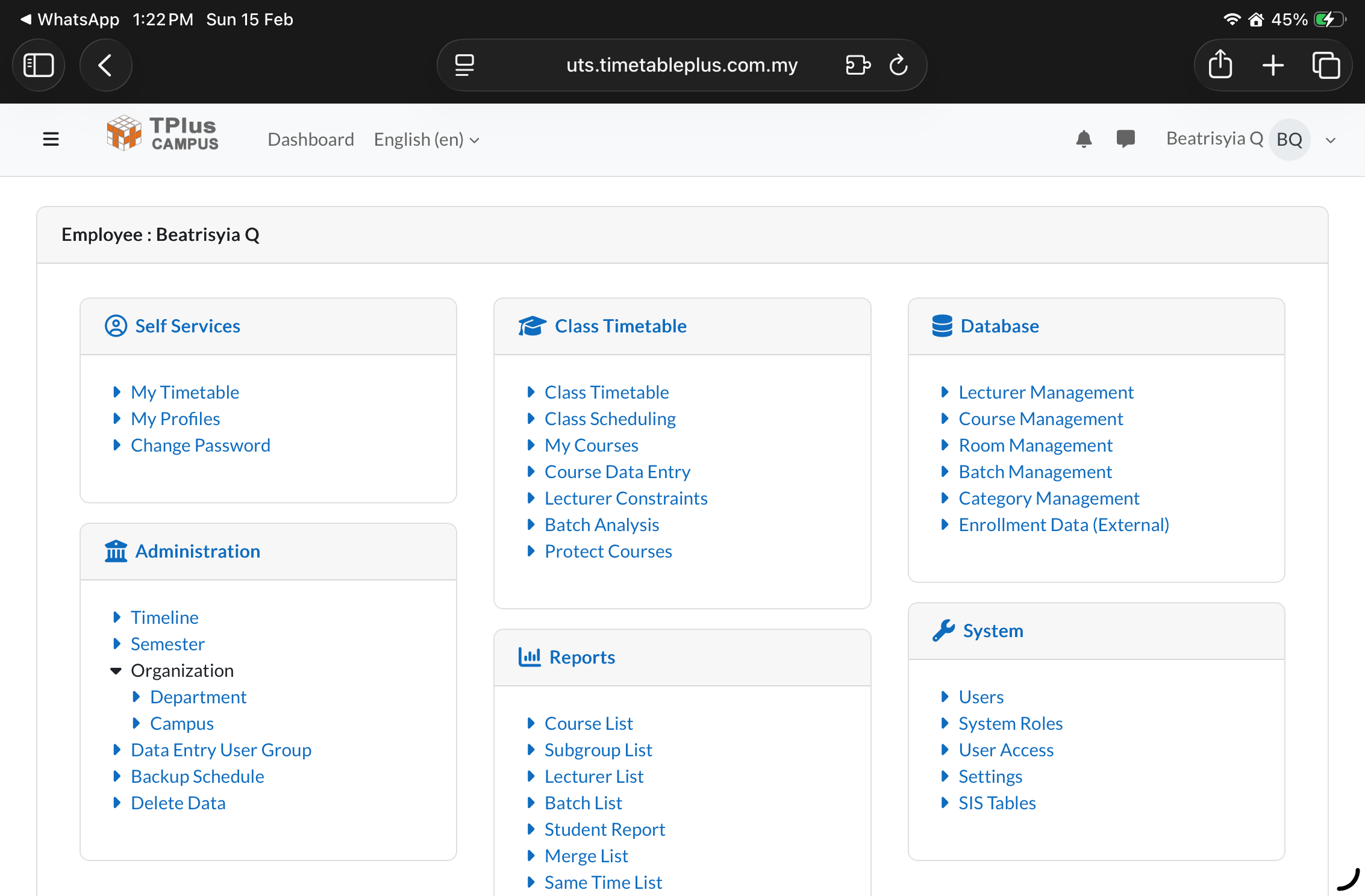
The Timetable Plus E-Campus dashboard: self-service, class timetable, database, administration, report and system menus

Mobile responsive design

Access your timetable anywhere, anytime. Our fully responsive design ensures a seamless experience across all devices - desktop, tablet, and mobile.

All the features to look out for

Discover what makes Timetable Plus E-Campus the perfect solution for your institution

  • Seamless integration

    API ready to integrate with existing Student Management System.

  • Clash-free timetabling

    Detect and prevent batch and lecturer timetabling conflicts with real-time validation alerts.

  • Multi semester setup

    Ability to construct clash-free timetables across multiple semesters.

  • Access control

    Assign roles and limit access by department or user.

  • Data entry

    Auto-create or copy data entry from previous semester.

  • Merging & same time

    Assign courses to specific merge or same time group.

  • Reports & analysis

    Full scale report for faster insights and planning.

  • Concurrent editing & entry

    Multiple users can enter and edit the timetable with live updates.

Frequently asked questions

Everything you need to know about Timetable Plus E-Campus

General

Your institution's administrator will provide you with the URL and account credentials. Each institution has a unique URL for their Timetable Plus E-Campus system. Contact your administrator or the person who manages timetabling at your institution to obtain access.

Timetable Plus E-Campus is a web-based system, while Timetable Plus Class is a standalone desktop application. Both are used to generate class timetables, but they differ in how updates are handled. Timetable Plus E-Campus allows multiple users to update concurrently, and changes sync instantly for everyone. Timetable Plus Class cannot do concurrent updates.

Timetable Plus E-Campus allows timetables to be viewed publicly, and administrators can control which information is available for public viewing. Admins can choose what to display and what to keep private, ensuring only the intended details are accessible to the public.

Yes. Timetable Plus Class includes “Push to E-Campus” and “Pull from E-Campus” features, allowing both systems to sync seamlessly. This makes it easy to send updated timetables to E-Campus or retrieve the latest data from it.

Getting started

After logging in, you'll see the dashboard with your personalized timetable view. Use the navigation menu to access different sections based on your role. Administrators can manage timetables, users, and access controls. Lecturers can view their teaching timetables and classroom assignments. Students can view their class timetables and access course information.

The process is simple: In Timetable Plus Class, generate your timetable and export it as a CSV file. Then import this CSV into Timetable Plus E-Campus through the admin dashboard. The entire process takes less than 2 minutes. We provide detailed documentation and video tutorials for this workflow.

Yes! Timetable Plus E-Campus allows administrators to make real-time manual adjustments directly in the web interface. Changes sync instantly across all users' devices without needing to re-export from Timetable Plus Class. This is perfect for last-minute room changes or timetable updates.

Technical

Yes! Timetable Plus E-Campus is fully responsive and works seamlessly on all devices - desktop computers, tablets, and mobile phones. Students and lecturers can access their timetables from any web browser without installing any apps.

No, Timetable Plus E-Campus is read-only for students and lecturers. Only administrators have edit permissions to maintain data integrity and prevent accidental changes. This ensures everyone sees the official, accurate timetable at all times.

Changes are saved instantly and synchronized in real-time. All users see the updated timetable within seconds on any device they're using. No manual refresh needed - the system automatically pushes updates to all active sessions.

No, Timetable Plus E-Campus requires internet connectivity to sync changes in real-time across all users. For offline timetable management, use Timetable Plus Class—our standalone desktop application with similar features that works without an internet connection.

Demos & support

Yes. We provide comprehensive product demonstrations to help you evaluate Timetable Plus E-Campus. We offer online demos for all interested institutions, and onsite demonstrations are available for organizations located in Malaysia and Singapore. Contact our sales team to arrange a demo tailored to your needs.

We provide comprehensive email support, detailed documentation, video tutorials, and free setup assistance for all customers. For institutions with 40+ programs, we offer dedicated account management and priority support with faster response times.

Ready to transform your data entry process into an enjoyable and seamless experience?

Purchase our popular Timetable Plus Class or Timetable Plus Exam package that will include our advanced Timetable Plus E-Campus.